 Stroller RunData field for Garmin watches
Your watch sees a slow run. You pushed 61 pounds up a hill.
Stroller Run shows the effort you actually put in. Live on your wrist, it turns your stroller pace into Push Pace: what the same effort would be worth without the stroller. Works on runs and walks.

A number for the effort, during the run and after it.
No reports to dig through. You glance at your wrist while you run, then scroll once on your activity in the Garmin Connect app.
During your run or walk
On the watch, as one data field
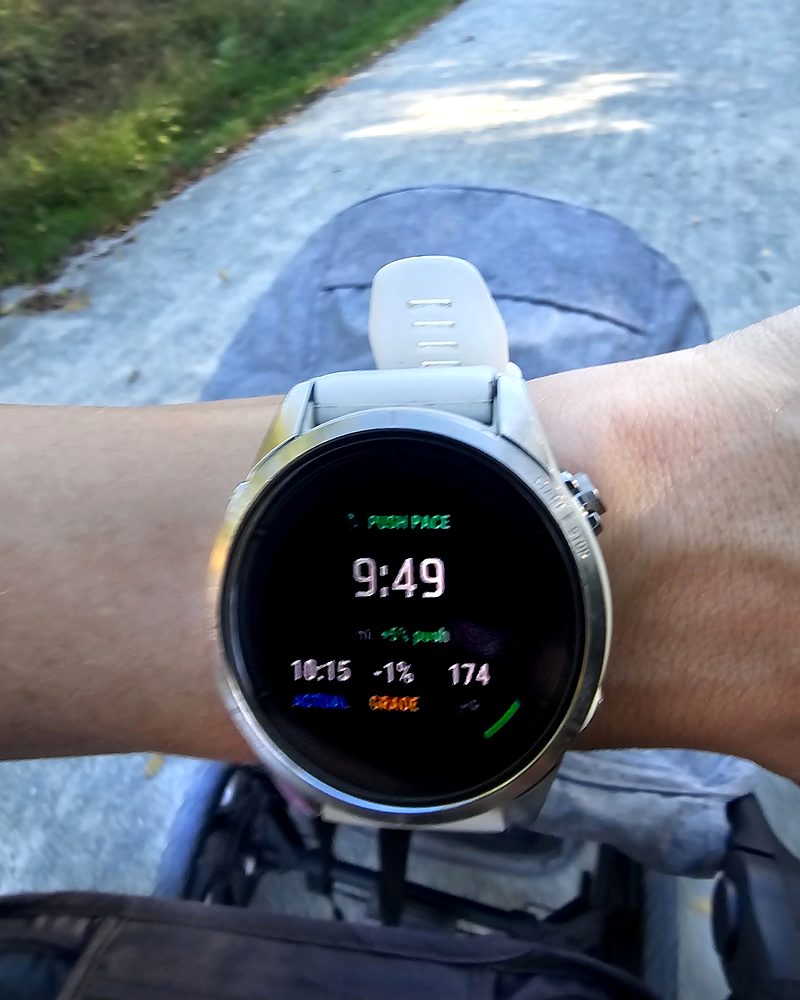
- Push Pace
- Your pace adjusted for the stroller. Pushing 9:40/mi with 55 lb on flat pavement is about a 9:08/mi solo effort.
- Push Bonus and the green arc
- How much extra work the stroller costs right now. About 6% running on the flat, 19% up a 5% hill. The arc grows as the hill gets steeper.
- Actual pace, grade and heart rate
- Along the bottom, so you can see what's driving the number.
After you finish
Garmin Connect app, in the Connect IQ section of your activity
- Same Effort Solo 3.57 mi
- How far your effort would have taken you without the stroller. On the run below, about 3¼ miles with the stroller counted like 3.57 solo.
- Stroller Time Credit 2.9 min
- How much faster the same distance would have been on your own.
- Averages, work and charts
- Average Push Pace and Push Bonus, the extra work in kJ and calories, your stroller load, and Push Pace, Push Bonus and grade charts.
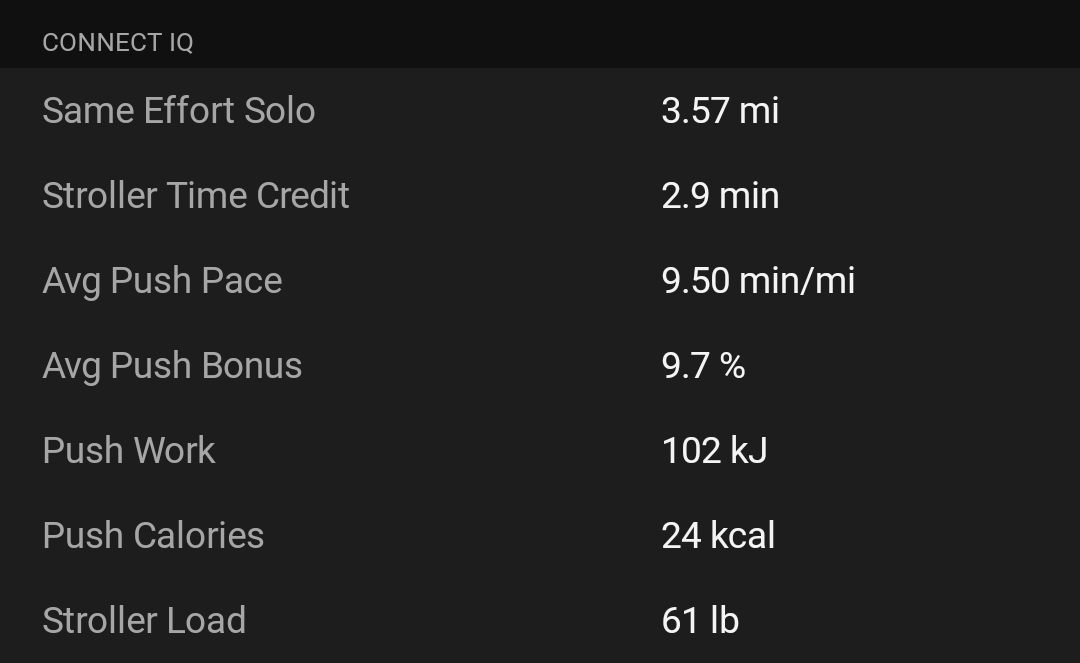
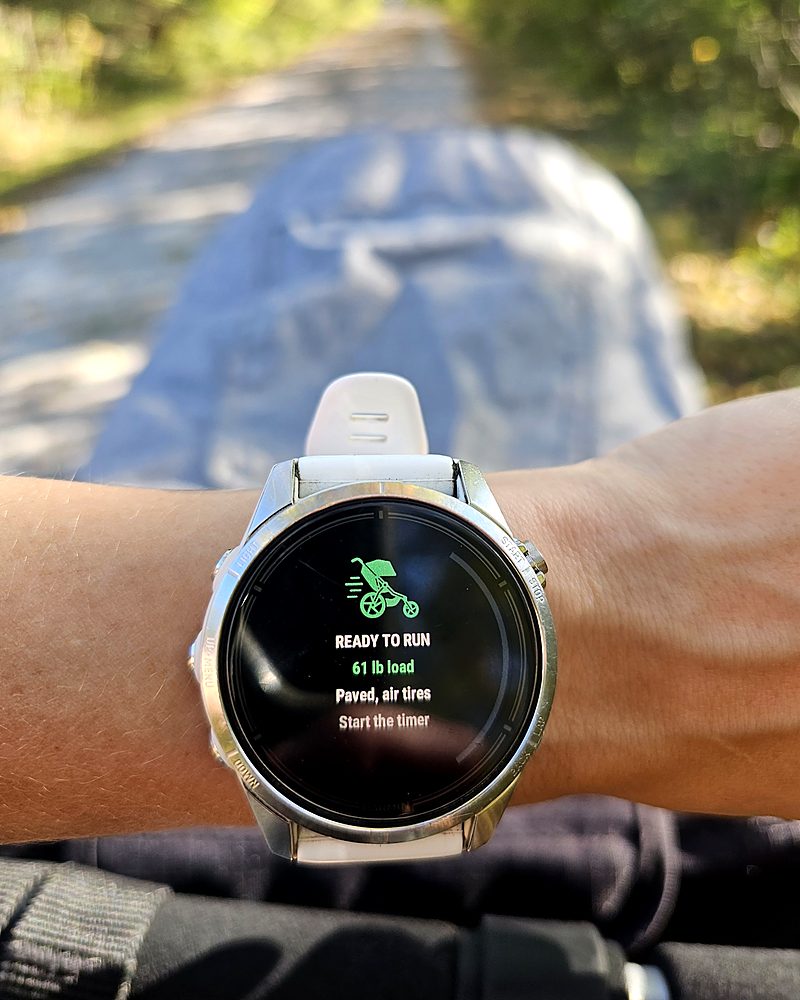
Tested with a 61 lb load on a paved trail.
So there are no surprises.
- It can't change Garmin's own numbers.VO2 max, Training Status and race predictions still use your actual pace. The setup below keeps stroller runs from dragging them down.
- It's made for steady exercise.Garmin stops reporting pace when you're barely moving, so slow strolling through a zoo or a store mostly shows --:--, and frequent stops to get kids in and out make the totals rough. Brisk, steady walks and runs work best.
- Results live on each activity.Garmin shows app paces as decimals (11.65 min/mi means 11:39), and its reports and Strava don't include app data, so there's no chart over months.
- It's an estimate.It comes from physics and published research, not a lab test of you. Tire pressure, wind and how you push all vary.
Physics, checked against lab studies of stroller runners.
your work = body weight × cost of running at that grade
Push Bonus = extra work ÷ your work
Push Pace = actual pace ÷ (1 + Push Bonus)
Your load is the stroller plus your child. Rolling resistance comes from the surface and tires you choose. Your body weight comes from your Garmin profile. On walks it switches to the energy cost of walking.
Lab studies found pushing a stroller costs roughly 5–8% more energy on flat ground, and about three times as much extra uphill. The model lands in the same range.
About a minute, once.
The field can't tell whether a stroller is attached, so it lives in its own activity. Your everyday runs stay untouched.
- Enter your stroller details.In the Connect IQ app, open Stroller Run's Settings: stroller and child weight (add both kids for a double), pounds or kilograms, surface and tires. Leave "Running or walking" on Auto.
- Copy an activity on your watch.Go to Activities & Apps and copy:
- Stroller Run: copy Trail Run and turn VO2 max off (recommended), or copy Run if you want stroller runs to count.
- Stroller Walk: copy Walk for brisk exercise walks, and set Auto Pause to Off or When Stopped.
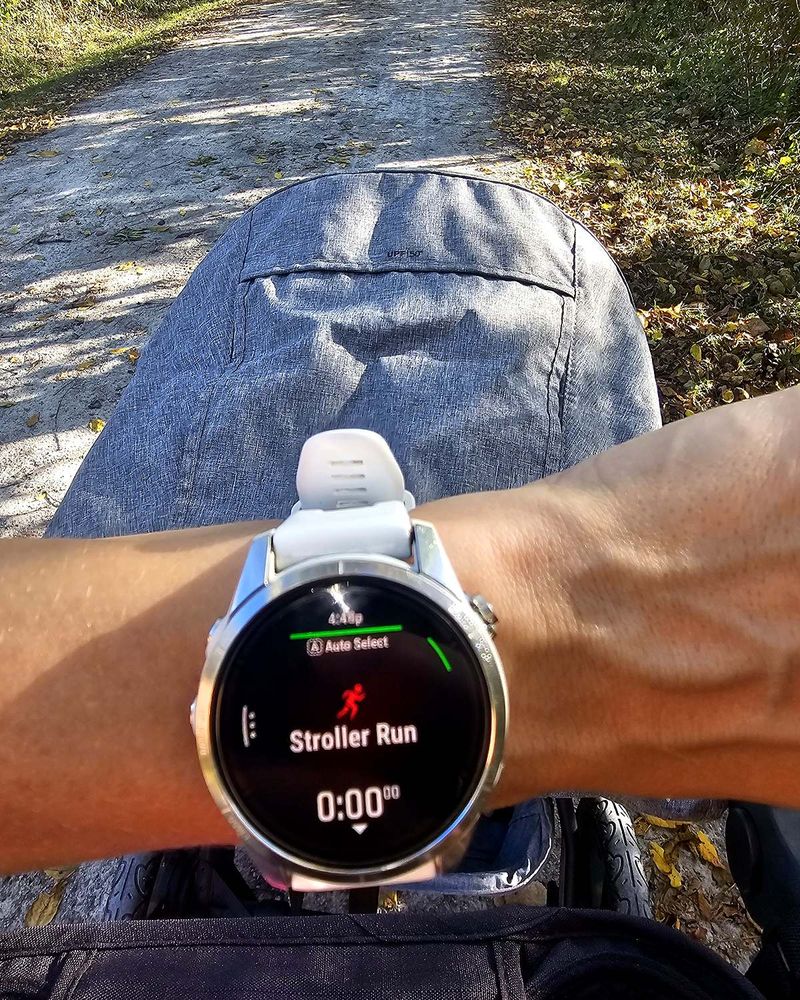
- Add the field.Put Stroller Run on a data screen in each new activity. A one-field screen shows everything; it also fits 2, 3 and 4-field layouts.
- Pick the right activity.Stroller along: start Stroller Run or Stroller Walk. No stroller: your normal Run or Walk.
Before you start, the Ready screen shows run or walk, your load, surface and tires, so a wrong setting is easy to catch.
Questions parents ask.
Will this change my VO2 max?
No. Garmin calculates VO2 max itself and apps can't change it. Recording stroller runs in a Stroller Run activity with VO2 max turned off keeps slower stroller paces from pulling it down.
Does Garmin count my harder effort at all?
Partly. Heart-rate based stats such as training load, recovery time, Body Battery and calories already rise on stroller runs. It's the pace-based stats that make you look slow, and that's the gap Push Pace fills.
Should I add Push Calories to Garmin's calories?
No. Garmin's heart-rate calories already include the stroller's share. Push Calories shows how much of that total the stroller was responsible for.
Why does Garmin Connect show 11.65 min/mi?
Garmin shows app numbers as plain decimals, so 11.65 minutes means 11:39. On the watch, Push Pace shows as a normal pace.
Does it work for walks?
Yes, for exercise walks. Set up a Stroller Walk activity (a copy of Walk) and Stroller Run switches to walking math automatically. It works best at a brisk, steady pace. Garmin stops reporting a pace when you're barely moving, so slow strolling around a zoo or a store mostly shows --:--, and lots of stops to get kids in and out make the totals less reliable.
Why is Push Pace faster than my actual pace?
That's the point of it. Push Pace is what the same effort would be worth without the stroller, so it's always as fast as or faster than your actual pace. The bigger the gap, the harder the stroller made that stretch.
Why is there still a small bonus going slightly downhill?
On a gentle downhill, gravity doesn't fully cancel the stroller's rolling resistance, so you still do a little extra work. Past about a 1.5% downhill the bonus drops to 0% and Push Pace matches your actual pace. It never goes below zero, and it doesn't yet count the effort of holding a stroller back on steep descents.
Why is the pace on Stroller Run a little different from Garmin's pace?
Stroller Run averages your speed over a few seconds so Push Pace stays steady, so its actual pace can differ from Garmin's own pace field by a few seconds per mile when your speed changes. It settles within a few seconds of starting, stopping or speeding up.
What about a double stroller?
Add both children's weight to the child weight setting.
Which watches does it support?
46 round Garmin watches from the last few years, including the Forerunner 165, 170, 255, 265, 570, 955, 965 and 970, fēnix 7 and 8, epix, Enduro 3, Venu 2, 3 and 4, vivoactive 5 and 6, and Instinct 3 AMOLED.
Questions or something not working?
Email me, and include your watch model. I read every message and usually reply within a couple of days.
Stroller Run collects nothing about you.
Effective October 2026
The Stroller Run app doesn't collect, store or send any personal data to Alpine Start Labs. The app has no accounts, ads, analytics or tracking.
What the app uses, on your watch
Your body weight from your Garmin profile, and live activity data such as speed, distance, altitude and heart rate. It uses these to calculate its numbers and doesn't send them anywhere.
Your settings
The stroller and child weights, units, surface, tires and walking setting you enter are saved by Garmin's Connect IQ app and on your watch.
Your results
Push Pace and the other results are saved into your activity, the same way your watch saves pace and heart rate. They sync to your Garmin Connect account, which Garmin's own privacy policy covers. Alpine Start Labs can't see your activities.
Purchases
Garmin handles purchases and payments through the Connect IQ Store. Alpine Start Labs never receives your payment details.
This website
This website uses Google Tag Manager to measure visits, such as how many people view the page and which links they click. Google may set cookies and collect your IP address and browser details to do this, under Google's privacy policy. You can block this with your browser's privacy settings or a tracker blocker. It doesn't affect the app.
Questions
Email the support address above.